Man in the middle attacks and Encryption
We have been using text-alphanumeric passwords to lock our social media accounts , sensitive bank accounts and what not. And that is an excellent way to do so. 26+26 alphabets(Case sensitive) , 10 digits , and countless special characters (16 on a typical qwerty keyboard) and with no limit on length of a password , it would take an eternity to crack that one password.
To analyze this, we call a program “Crunch” which will generate passwords of length 1-10 using only alphabets and numbers. Let’s see

To test each line of crunch's output would be impractical and very computationally expensive.
So it means you are protected and your data is safe behind your password .

Understanding flow of data
When you connect to a wifi (components a network identifies each other through MAC address) , all the data from your browser and apps (your passwords and http requests) go through your wi-fi router and its okay till its "your" and you know the people connecting to it.
But when you connect to a public wi-fi or a hotel's wifi, chances of you compromising your data gets significantly higher.
Cause all the data and requests are going through some unknown router which is maybe a system that logs all your data(sites you are visiting, your username and passwords).
Man in the middle attacks
So does it mean when you know and trust the router's owner, your data is secure? That's where the Man in the middle (MITM) attack comes in.
It is easy to change one system's address to any address. So someone with basic knowledge of linux can change its address and can convince your system that its address is the router's address and it should send data to the hacker's system. Illustrated below (tap on the image for details)
Initially


And this method is fail-proof, this is gonna work everytime unless done incorrectly.
So now all your sensitive data is now routed to go through some unknown system which can see all your passwords and data.
So does it mean that you should never connect to wi-fi, because the risk of data leak is high?
That's where encryption comes into play.
Encryption
Taking a string of information and changing the letters in it so that only the person who knows what order(key) information is jumbled and puts it all right back in place. and can extract the correct information. The key of encryption is given to 2 systems, 1 which is sending request and another which is receiving requests. And if anybody intercepts the signal in between he would have no idea what is the actual message. all he will see is some jumbled up characters and that would make no sense to him.
That’s why this message appears in WhatsApp

ensuring that all messages sent through the WhatsApp are encrypted and only be seen by sender and receiver.
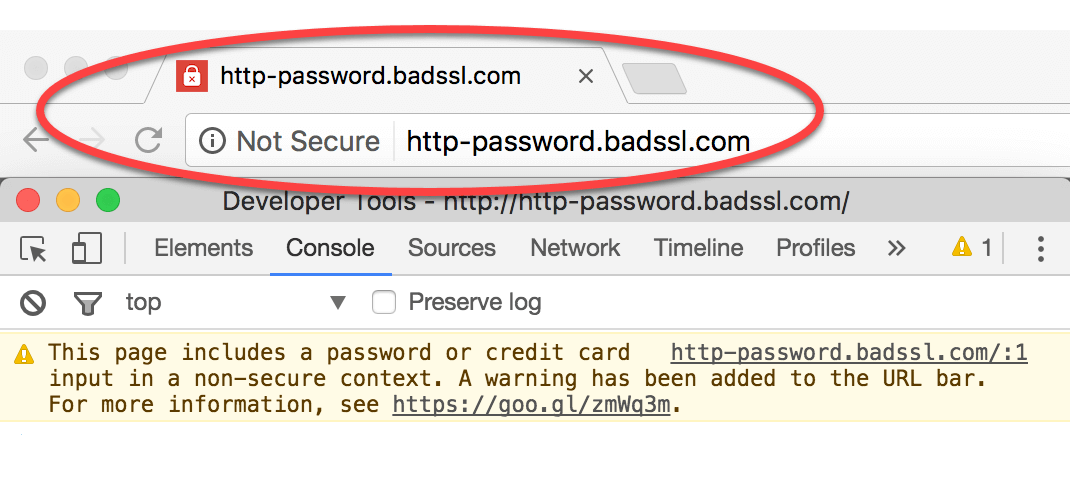
Many browsers and websites have changed their transfer protocols from http to https where “s” means “secure” and it shows the following pad-lock icon when the connection is secure.

This is how it works:
When you send a message, it is encoded

and when that message reaches the receivers end

Staying Safe on Internet
The computer scientists and network engineers are constantly trying to make the internet a safer place but its a 2 way thing, users should be aware of the sites they are visiting and feeding sensitive information where they shouldn’t.
Look out for pad-locks.
Whenever you open a website on your phone, look out for pad-lock. and then put-in your information. Still many browsers out there do not provide HTTPS encryption service.
It is also advised to use your mobile-data while making online transactions.
Sometimes to steal your data, frauds will tell you to log-in through a certain app or website, which will store the data you are entering and send it back to them. This method is called Phishing .
By using your greed as bait. Free Products, Offers , Bonus Points.
Here’s an example where a user is tricked to enter information in a log-in page which looks exactly like Amazon’s but if you focus on the URL it says amazonn.com.

Cyber safety tips - protect yourself against cyber attacks
How can businesses and individuals guard against cyber threats? Here are our top cyber safety tips:
1. Update your software and operating system: This means you benefit from the latest security patches.
2. Use strong passwords: Ensure your passwords are not easily guessable.
3. Do not open email attachments from unknown senders: These could be infected with malware.
4. Do not click on links in emails from unknown senders or unfamiliar websites:This is a common way that malware is spread.
5. Avoid using unsecure WiFi networks in public places: Unsecure networks leave you vulnerable to man-in-the-middle attacks.
If you want to know more about encryption check out this awesome free course on khanacademy.org
amazing!
ReplyDelete